Built by the LynixAI utilities group • Updated: 2025-11-12
Smart Utility Hub is a lightweight desktop toolkit for Windows that helps you find files quickly and remove duplicates without shipping data to the cloud. Searches and hash checks run locally, and the app follows your system light/dark theme.
AdSense placement (in-article/rectangle) near the download and trust guidance.
What Smart Utility Hub includes
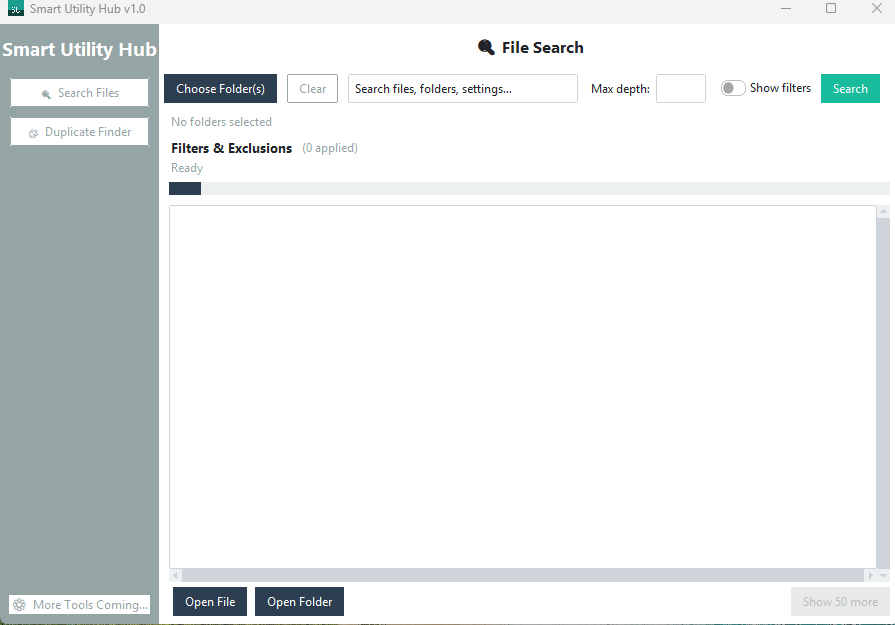
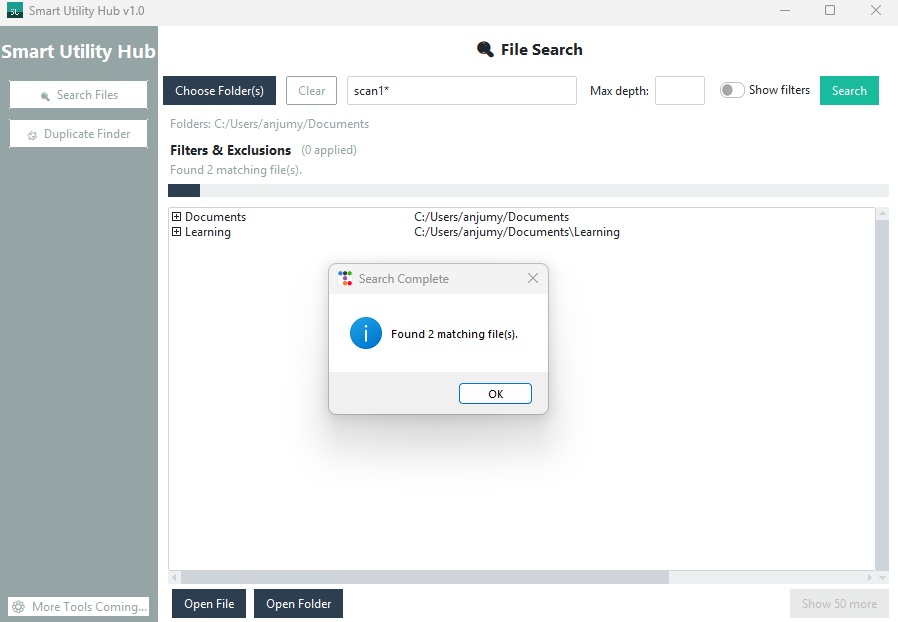
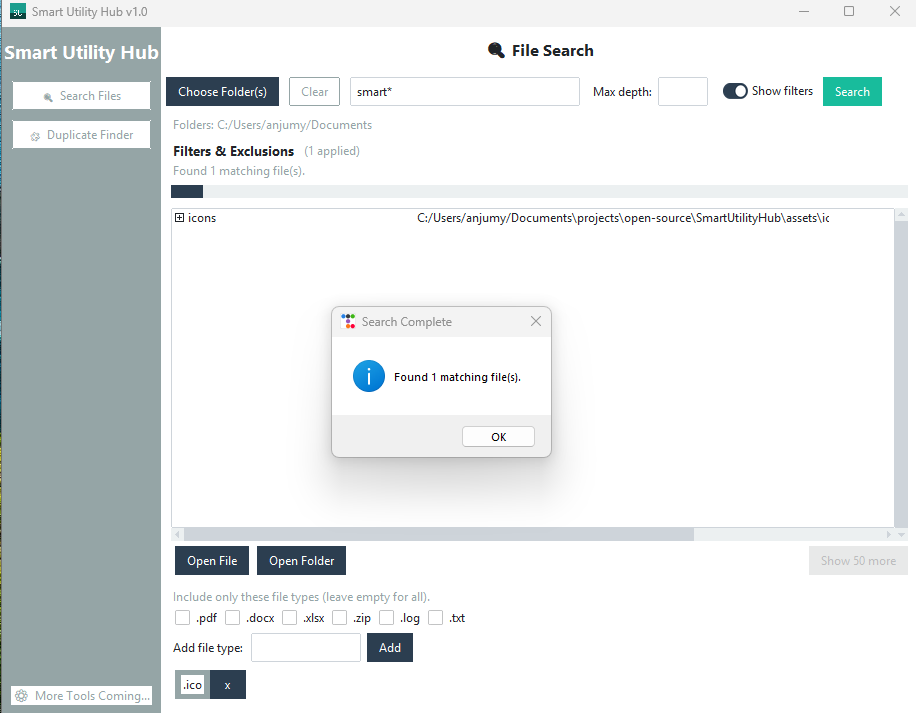
Wildcard file search: Scan selected folders with filters for extensions, depth, and exclusions.
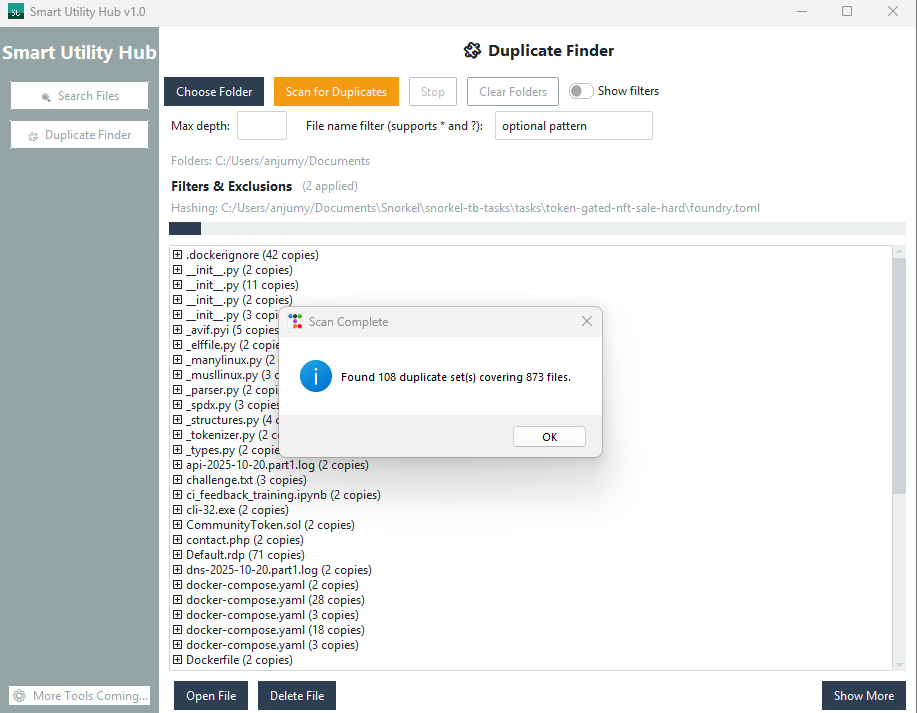
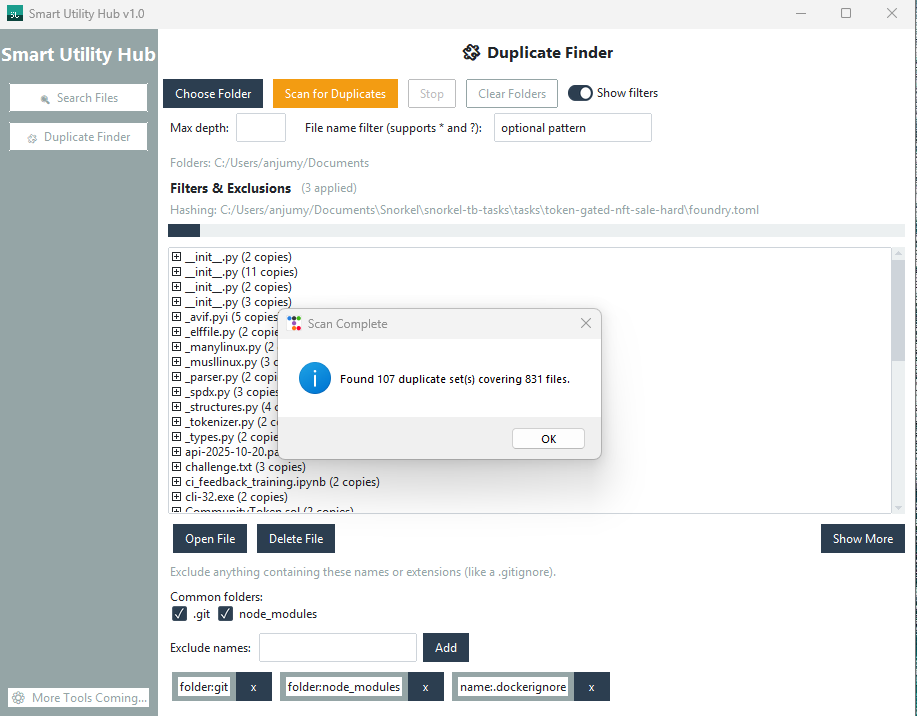
Duplicate finder: Hash-based detection with quick open/delete actions inside the app.
Local-first: No indexing services or telemetry—everything runs on your machine.
Auto theme: Follows Windows light/dark mode at launch.
How to get started (Windows 10/11, 64-bit)
Download: Grab SmartUtilityHub.exe from the release Assets on GitHub.
Run: Double-click to launch—no installer required. You can right-click → “Send to → Desktop” for a shortcut.
Search: Choose one or more folders, enter a term or wildcard (for example, report*.pdf), and filter by extensions.
Clean duplicates: Use the duplicate finder to hash files, review matches, and open or delete as needed.
Verify the download (recommended)
The executable is currently unsigned, so Windows may show a SmartScreen warning (“Unknown Publisher”). Choose “More info → Run anyway” after verifying integrity.
PowerShell:
Get-FileHash .\\SmartUtilityHub.exe -Algorithm SHA256 Compare the hash to the .sha256 value in the release Assets.
Screenshots
Main dashboard offering quick access to file search and duplicate finder tools.Search results view listing files that match the wildcard query.Search form using folder selection, depth limits, and extension filters to narrow results.Duplicate finder showing files with matching hashes plus open and delete actions.Duplicate results filtered to focus on a specific directory scope.
Release notes
v1.0 — First public release with wildcard search, duplicate finder, auto theme, and local-only processing.
Bottom banner ad placement (e.g., in-article/leaderboard). Positioned after core content.
FAQs
What does Smart Utility Hub do?
It searches files with wildcards, filters, and depth controls, and finds duplicates using hash-based detection—all locally on your machine.
Is it free?
Yes. The v1.0 release is free to download from GitHub and runs without telemetry.
Which platforms are supported?
Windows 10/11 (64-bit) today. Other platforms may follow based on demand.
Does it run offline?
Yes. Searches and hashing stay on your device; there is no cloud indexing or data upload.
How do I verify the download?
Use Get-FileHash .\\SmartUtilityHub.exe -Algorithm SHA256 and compare against the .sha256 file in the GitHub release Assets.